Your first session
If the setup wizard finished cleanly, you don’t need to do anything special to capture a session. Hooks fire automatically. This page is a 60-second sanity check that the loop is working end-to-end.
1. Open the dashboard
Section titled “1. Open the dashboard”Open your Capacitor server URL in a browser. The setup wizard printed it in the final summary; you can also re-read it any time with kcap status. It looks like:
https://<your-github-org>.kcap.aiYou should see the unified dashboard, with tabs for Sessions, Agents, Analytics, and Work Items — Sessions is selected by default. The list will be empty until you produce a session.
2. Run a session
Section titled “2. Run a session”In a git repo where Capacitor hooks are installed (the wizard installs user-wide by default, so this is any repo you open a supported agent in):
cd ~/some/repoclaude # or codex / gemini / cursor / copilot / pi / kiro / opencodeFor Antigravity — a GUI IDE rather than a terminal agent — open the same repo as a folder in Antigravity and start a conversation instead of running a command.
Ask the agent anything — a question, a small task, doesn’t matter. The point is that the agent starts and finishes a turn.
3. Watch it arrive
Section titled “3. Watch it arrive”Switch to the dashboard. Within a few seconds you should see:
- A new entry in the Sessions tab with your repo name, your avatar, and a live “running” status.
- Token counts updating as the agent produces output.
- Tool calls appearing in the Trace tab if you open the session detail panel.
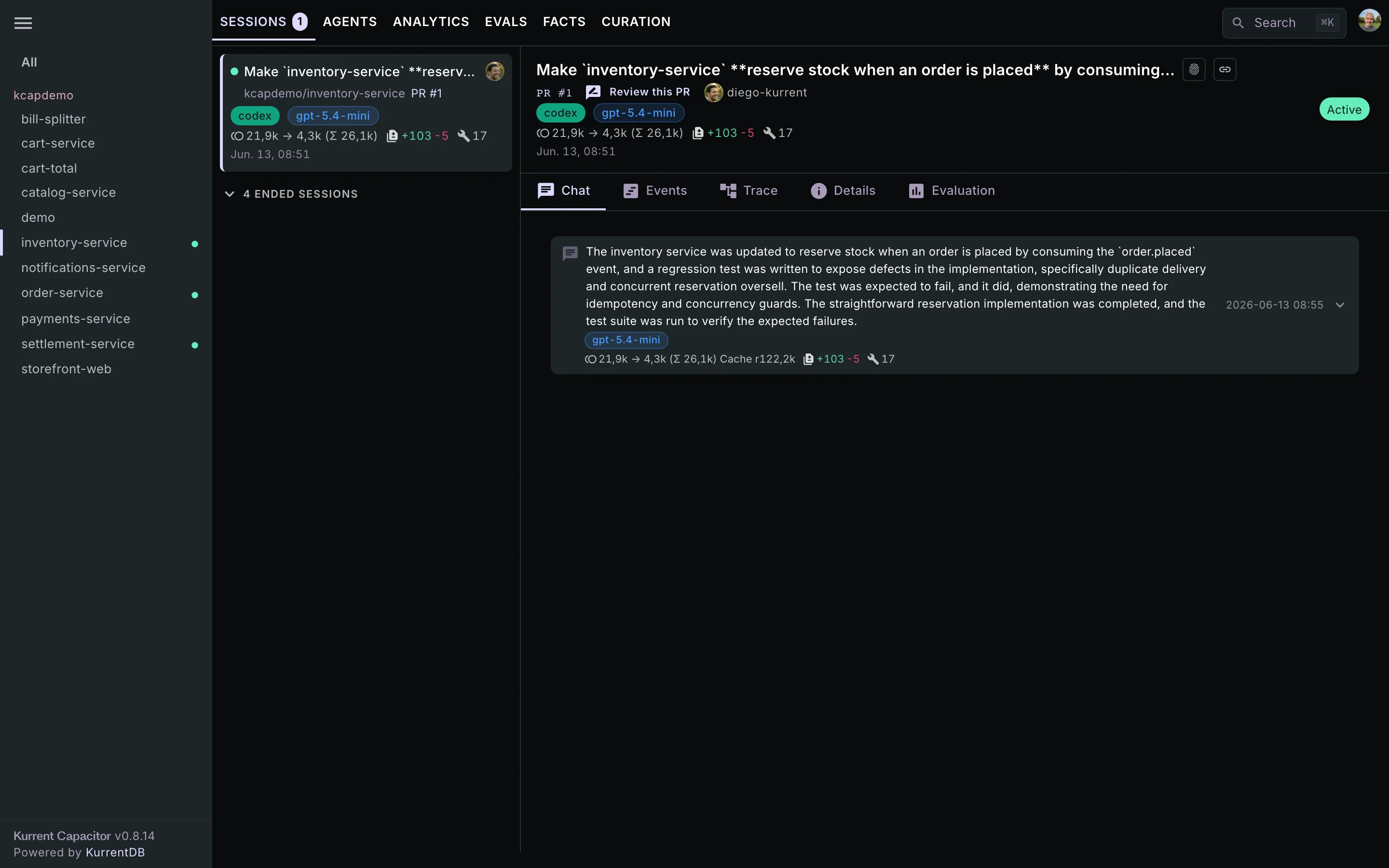
If you end the session in your agent (close the terminal or type /exit), the status flips to ended within a few seconds.
If nothing shows up
Section titled “If nothing shows up”Walk this checklist in order; one of the first three usually catches it:
kcap status— does the CLI reach the server? The output prints the server it’s targeting, so you can confirm the URL is right and that you’re signed in. If you’re pointed at the wrong server, runkcap login --discoverto re-pick.- Are hooks installed for the right agent? Run
kcap plugin installfor Claude, or add the flag for the others —--codex,--gemini,--pi,--opencode,--antigravity,--cursor,--kiro,--copilot(full list in Setup CLI). For Codex, also confirm you accepted the trust prompt the next time you launchedcodex(or trusted thekcapentries individually in/hooks). - Is the repo in your ignore list?
kcap ignore --listprints excluded paths. If the repo lives under one, Capacitor silently skips it by design. - Are you running the agent from a directory inside a git working tree with a remote? Sessions outside a git repo are still captured, but they won’t be grouped by repo on the dashboard.
- Is your default visibility set to
private? Private sessions only appear to you — confirm you’re signed into the dashboard as the same identity the CLI is using.
Next: what to do with sessions
Section titled “Next: what to do with sessions”Once you have a session, the rest of the docs cover the things you’ll actually do with it:
- The dashboard — what each tab shows.
- Session recap —
kcap recapand the in-agent skill. - PR review —
kcap review <pr-url>with full session context.